
- Hillary Plauche
- 0 Comments
- 412 Views
Keep Your Google Business Profile Tight After Handoff
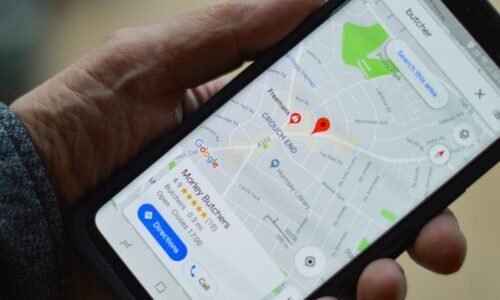
Your Google Business Profile is finally in good shape. The listing is live, rankings are climbing, calls are coming in, and people are tapping that Directions button. Then the agency finishes its main project, your team gets the keys, and a quiet panic hits: okay… now what?
This is where a lot of profiles start to slip. Random photo uploads; someone tweaks the name; Google suggests a change, and someone hits yes without thinking. Staff comes and goes, nobody’s sure who owns what, and slowly your clean, high-converting profile gets messy. The good news: it does not have to go that way.
Let’s walk through a simple, real-world setup for post-handoff Google Business Profile management. We’ll cover who should own the account, who should touch what, how to keep things on-brand, and a 90-day quality control plan that actually fits into a busy schedule. Late summer is a great time to lock this in, before the Q4 holiday rush, back-to-school chaos, and end-of-year events hit your calendar.
Who Owns What in Your Google Business Profile
First thing: ownership and access are not the same thing. The business should always hold primary ownership of the profile. Not the agency. Not a random Gmail someone made years ago. Not a marketing intern who might leave in six months.
Here’s a simple way to think about it:
- Primary account: owned by the business, ideally tied to a shared business email
- Access: given to agencies, marketing, and managers through roles, not shared passwords
Inside your team, keep roles clear:
- Owner: usually the business owner or top leader. This person handles security, recovery email and phone, and final approval on big changes.
- Marketing Lead: handles posts, photos, offers, and overall messaging tone. This is your main day-to-day content person.
- Ops or Location Manager: updates hours, holiday schedules, service changes, and on-the-ground info like “parking in back” or “entrance moved.”
Then build a quick access playbook. Nothing fancy, just simple written rules like:
- When to add a new user and when to remove them
- How to handle staff changes, so old employees don’t hang around in there forever
- What needs approval (business name, main category, website, primary phone)
- What can be done on the fly (holiday hours, fresh photos, posts about weekend specials or events)
If you set this once and never look again, things drift. Treat it like a living rule set you check in on from time to time.
Smart Permissions That Protect Your Brand and Rankings
Google gives you different levels of access inside the profile. Think of them like safety layers.
- Primary Owner: this is the “nuclear codes” level. There can only be one. Use it for the business itself, and don’t hand it out lightly.
- Owner: trusted leadership and long-term partners. They can change a lot of important stuff, so keep this group small.
- Manager / Site Manager: people who handle daily tasks, like posting, adding photos, responding to reviews, or answering Q&A.
Security matters a lot here. A few simple rules go a long way:
- Never share logins. Every person should have their own Google account with their own role.
- Turn on 2FA for the main account and any Owner-level users.
- Keep a backup contact and phone number listed so you can recover the profile if someone loses access.
- If someone leaves on bad terms, remove their access right away as part of your offboarding checklist.
Set clear rules of engagement inside your business:
- Only the Owner or Primary Owner can edit core data like business name, categories, primary phone, website URL, and main address.
- Managers can handle lighter items like photos, posts, Q&A, and responding to reviews.
- At least once a quarter, open the Users tab and clean house. Remove old agencies, ex-employees, and anyone you don’t recognize.
A little discipline here keeps you from waking up to a broken profile or a surprise change you never approved.
Brand Standards That Keep Your Profile From Getting Weird
If multiple people touch the profile, you need guardrails. That’s what keeps your brand from turning into a random mashup of styles, jokes, and off-the-wall images.
Start with some simple visual rules for photos:
- Good lighting, straight shots, and clear focus
- No heavy filters, wild colors, or busy text slapped on top
- Approved subjects: team photos, behind-the-scenes, finished projects, menu items, seasonal decor, events
- Not allowed: memes, personal selfies, obvious competitor logos in the background, or anything off-brand
Then lock in your voice. Your posts and review responses should feel like they’re coming from the same “person,” even if different team members are typing.
Decide things like:
- How you greet people: “Hi,” “Hey,” or “Hello”?
- How formal or casual you want to sound
- Whether you sign off with a name or just the business name
Create simple templates for review responses, for example:
- Glowing review: thank them, mention something specific, invite them back.
- Mixed review: thank them, apologize for the issue, share one clear step you’ll take, invite them to talk offline.
- Nasty review: stay calm, don’t argue, say you care, give a simple next step.
Next, set data and formatting standards:
- Use the exact same business name, address, and phone format every time, across Google, your site, and other listings.
- For services and products, use clear names and natural keywords, but skip keyword stuffing or spammy phrasing.
- Build a simple seasonal content playbook: what changes during fall events, winter holidays, spring promos, or summer specials. Keep hours, promos, and main messages aligned between Google, your site, and social channels.
A 90-Day Quality Control Plan That Actually Fits Real Life
Now let’s put this into a timeline so it’s doable, not just a nice idea.
First 30 days: stabilize and watch closely.
- Weekly check: confirm hours, categories, phone, website, and address are still correct. Google sometimes “suggests” edits that just get applied.
- Start a tiny change log in a shared doc. Note who updated what and when, like “Marketing added back-to-school offer” or “Ops changed Sunday hours.”
- Build the habit of replying to every review within 24 to 48 hours. Short, friendly, on-brand responses are totally fine.
Days 31 to 60: optimize and tighten routines.
- Create a recurring reminder for posts. Rotate offers, FAQs, service highlights, and quick tips.
- Plan a monthly photo refresh. Add a few new shots of staff, projects, menu items, or seasonal displays, especially as holidays and events pop up.
- Run a quick brand check. Does your voice match across Google, your site, and social? Do photos look like they belong to the same business? Is your info the same everywhere?
Days 61 to 90: measure, tweak, and future-proof.
- Check Insights inside Google Business Profile. Look at calls, website visits, direction requests, and common search terms people use to find you.
- Decide what’s working. Do certain post types get more actions? Do offers pull more calls? Double down on those.
- Create a simple quarterly QC checklist with items like:
- Review Users and clean up access
- Confirm core info is accurate
- Spot-check brand standards in photos and posts
- Review security, 2FA, and backup contact info
Stick this checklist on your team calendar four times a year. Treat it like an oil change for your profile.
Lock in Your Governance so Growth Doesn’t Get Messy
A strong handoff from an agency is only the starting point. Long-term wins in local search come from clear ownership, smart permissions, and repeatable quality control your team actually follows.
Choose a real primary owner inside the business, clean up access, and keep your “who can do what” rules simple. Write a one-page cheat sheet with brand and governance basics so anyone on your team can keep the profile on track. Then use the 90-day plan to build habits that protect your rankings, your brand, and your incoming calls as your business grows.
Turn Local Searches Into Paying Customers Today
If you are ready to turn your local visibility into real leads and sales, Rank Boost Media is here to help. Our Google Business Profile management services are built to keep your listing accurate, active, and ahead of competitors. Reach out through our contact page so we can review your current profile and map out a clear plan for growth. Together, we will turn your Google presence into one of your most reliable digital assets.