
- Hillary Plauche
- 0 Comments
- 798 Views
Your Next Storefront Is Already on Google Maps
Most service businesses think their main storefront is their shop or their website. But, when people need help fast, like AC repair, lawn care, or pool service, they usually find and pick a business inside Google Maps long before they ever see a homepage.
Many local business owners tell us they get more calls from their Google Business Profile than from their site, especially in busy summer months when phones are ringing nonstop. That little box on Google Maps quietly becomes the place where strangers decide who they trust with their home, car, or business.
In this article, we will walk through how to treat your Google Maps listing like your real storefront, how Google Maps SEO services fit into the picture, and what to fix first if you want more calls, messages, and booked jobs.
Why Google Maps Beats Your Website for First Impressions
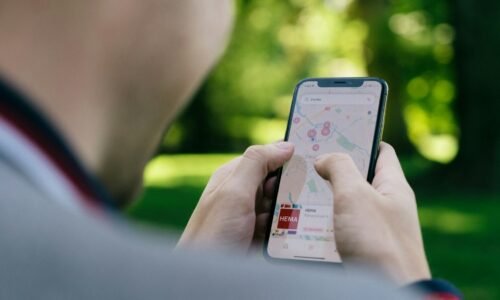
Here is how people search now: they grab their phone, type something like “AC repair” or “lawn care,” tap the map, skim a few listings, then call. Many never click through to any website at all.
On that map screen, your profile is judged in seconds. People look at:
- Star rating and number of reviews
- Recent photos that show real work
- How close you are to them
- If you are open and easy to contact
If all of that looks good, they tap to call or send a message. If it looks empty or outdated, they back out and pick someone else that feels more “real.”
During busy seasons, this gets even more intense. When the AC stops working, sprinklers break, or the yard is overgrown, people are not doing long research. They just need someone who looks:
- Close enough
- Legit and established
- Available right now
That decision happens inside Google Maps, not on a fancy homepage. Your listing is the first handshake, and often the only one you get.
Turning Your Google Business Profile Into a Real Storefront
Think of your Google Business Profile like a digital lobby. If someone never saw your website, could they understand what you do and feel ready to contact you, just from that profile alone?
Start with your basic information and go deeper than the default:
- Fill out every service you offer
- Add service areas you actually want to work in
- Use the description to answer “who we help” and “what we do” in plain language
- Add simple FAQs right in the profile so people get quick answers
Visuals are next. People judge with their eyes long before they read. For service businesses, especially in warm, busy months, strong photos and short clips can make you feel trusted fast:
- Real photos of your team on the job
- Your vehicles, branded gear, and equipment
- Before and after shots of projects
- Seasonal work like patio cleaning, AC installs, yard refreshes, outdoor lighting
Short phone videos work great here. They do not need to be fancy. They just need to be honest and clear.
Behavior signals matter too. Google watches how current and active your listing looks. Simple things help a lot:
- Keep business hours accurate, including holidays
- Add a booking link or clear call button
- Turn on messages if you can respond consistently
- Reply to questions and reviews quickly
To Google, this looks like a real, active business, not a forgotten listing. To your customers, it feels like someone is actually on the other side, ready to help.
How Google Maps SEO Services Put You in the Top Results
Many business owners hear “local SEO” or “Google Maps SEO services” and think it is all tech talk. In simple terms, it is about cleaning up your presence so Google trusts you and people can easily pick you.
Here is what that work often covers:
- Fixing and syncing your name, address, and phone everywhere
- Choosing the right main and secondary categories
- Writing clear descriptions, services, and FAQs with local wording
- Building real local signals through profiles, content, and reviews
The main ranking drivers are not magic. They are things like:
- Consistent NAP (name, address, phone) across the internet
- Strong, steady reviews that mention your services
- Keywords that match what people actually type into search
- Proximity to the searcher
The trick is keeping all of this aligned over time instead of doing a one-time setup and forgetting it.
Content is a big part of this, especially now that people type longer, more natural questions into search and AI tools. When your profile, posts, and FAQs use real-world phrases like “AC tune-up for small homes,” “pet-friendly pest control,” or “weekly lawn mowing in ___,” it makes it easier for both Google and AI systems to match you with those specific needs.
That is what we mean by AI-friendly local content. It is written for humans first and happens to help machines understand you better too.
Reviews, Photos, and Posts That Sell for You 24/7
If your map listing is your storefront, reviews are the people standing outside saying, “Yep, this place is solid.” Most customers will read at least a few, before they decide.
Make reviews easier to get by:
- Asking right after a job when the customer is happiest
- Keeping your request short and friendly
- Reminding them they can mention the service they got
When someone does leave a review, respond. Even a simple “Thank you for trusting us with your AC” shows future customers that you care. If a review is not great, stay calm, be polite, and show you are willing to fix things. That can actually build trust.
Photos tell the story of what you do without any reading. Great options include:
- Before and after project shots
- Team photos on jobs around town
- Equipment, tools, and vehicles that show you are prepared
- Seasonal work like outdoor cleaning, yard care, or AC work during busy months
Google Posts are like little mini-updates on your profile. Use them with purpose, not just random filler. Some strong post ideas:
- Limited-time promos or seasonal offers
- Short tips that tie to your services
- Answers to common questions you keep getting
- Reminders for maintenance or checkups
Posting weekly or every couple of weeks keeps your listing looking fresh, not abandoned.
Simple Local Tweaks That Give You an Edge Fast
You do not always need a giant overhaul to get better results from Google Maps. A few smart local tweaks can shift things quickly.
Start with local consistency. Make sure your business name, address, phone, and basic details match everywhere:
- Google Business Profile
- Social pages
- Major directory listings
- Your own site and any brochures or cards
That consistency tells Google “this is the same real business” and builds trust in your data.
Next, look at your service area and categories. Many service businesses set a huge radius and broad category, then wonder why they get weird leads.
Try this instead:
- Focus your service area on places you actually want to drive to
- Pick a primary category that matches your main service
- Use secondary categories for add-on services, not random extras
Finally, connect your whole online ecosystem. Your Google Business Profile, website, and social channels should all tell the same basic story:
- Same main services
- Same brand voice
- Same local areas you care about
When everything lines up, it sends a clear local signal. People feel it. Google does too.
Shifting your mindset to see Google Maps as your main storefront changes how you show up. Instead of an afterthought, it becomes the first place you greet new customers, prove you are real, and earn their trust before they ever visit your website.
Get Started With Your Project Today
If you are ready to attract more local customers and outperform competitors in map results, our team at Rank Boost Media is here to help. Explore our Google Maps SEO services to see how we optimize your visibility and turn local searches into real revenue. When you are ready to move forward, simply contact us so we can review your goals and outline a clear, tailored strategy.